Kodak Ektar 100 Film Review
“World’s Finest Grain”
14 min read by Dmitri.Published on . Updated on .

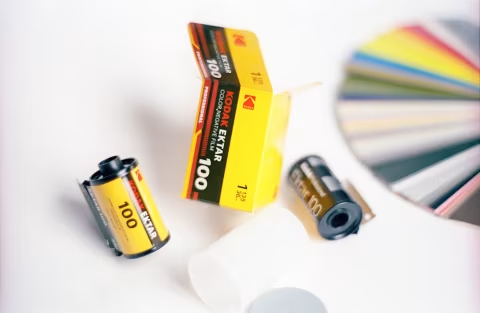
Kodak Ektar 100 boasts the world’s finest grain for an ISO 100 colour-negative film, strong contrast, and outstanding saturation in every frame.
Available in 135, 120, and sheet formats, this film has undergone numerous redesigns and distribution changes over the years — which I’ll cover in this review — while it remains one of the best-recognized names among analogue photographers and a powerful, though sometimes difficult to manage, tool for creating impactful images.
In addition to the brief history of this film, all of its most important technical aspects, and lots of samples, I’ll cover Kodak’s new perceptual method for measuring how grainy a film is — highly relevant for something claimed as the “finest.”In this review: This film needs care and attention. A brief history of Kodak’s Ektar brand. “World’s Finest Grain.”” Metering Ektar for the best, easy-to-edit exposures. Ektar’s colours. Scanning Ektar. When to shoot Kodak Ektar. When not to shoot Kodak Ektar. How much does Kodak Ektar 100 cost, and where to find it. Support this blog & get premium features with GOLD memberships!
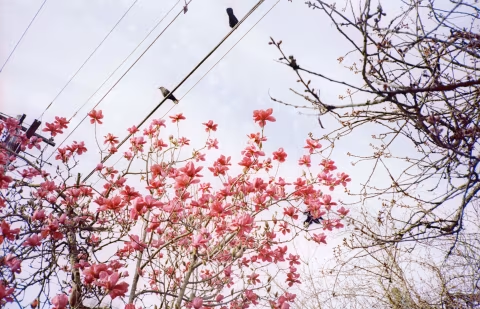
This film needs care and attention.
If you know how to use this film well, it will create excellent results for you. This premium emulsion is designed to produce sharp, virtually grainless images with high contrast and saturation.
Unfortunately, Ektar isn’t a cheap film. Though still not as expensive as some slide emulsions, it does not produce equivalent easy-to-scan positives. In fact, Ektar is a tricky film to digitize unless you expose it just right and know how to fix the blue cast in the shadows.
I’ve been shooting Ektar on and off over the past decade while living in Thailand and Canada with a few different cameras. I’ve had a set of photos damaged during development, and my understanding of the scanning process was challenged more than once. So take note: this film will perform best under certain conditions — but not always.
I’ll share my tips for getting the best results below.
But first, the basics: a brief history and technical characteristics of Kodak Ektar 100.
A brief history of Kodak’s Ektar brand.
“Ektar” is a name Kodak has been reserving for its premium products since 1936. Up until 1960, Ektar belonged to a series of the brand’s top-end lenses.
Even then, Kodak wanted its customers to know that Ektar isn’t a lens design (like the Sonnar) but rather “a performance index, a seal of quality, a sterling mark” — source. And so, when it became again attached to a line of films in 1989, the nomenclature made sense.
“Ektar” was used to label film on two separate occasions. First, it was a line of “semi-pro” C-41 emulsions sold in a variety of speeds — from ISO 25 to 1,000. But it was discontinued in 1997 for poor commercial performance.
Finally, the 2008 return of Ektar as a film brand stuck. Two things were done differently this time, which I believe helped this name to stick through the worst of the digital revolution.
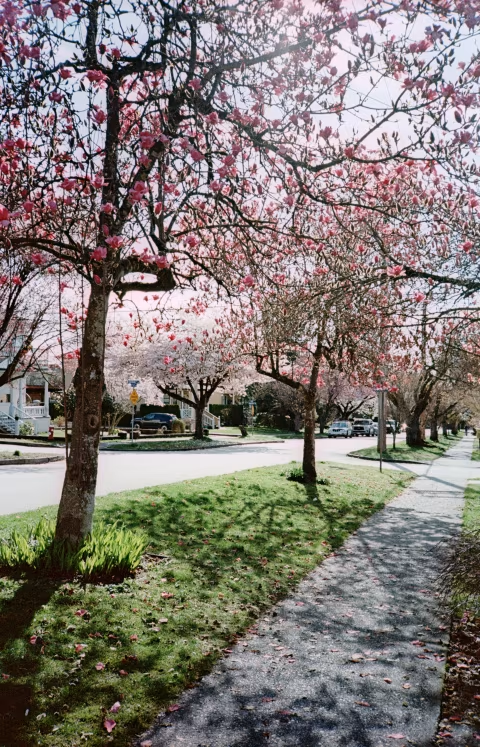
First, Ektar is a single ISO speed film: 100. A good choice, in my opinion, as in full daylight it works with 𝒇8/500 — a combination that can yield sharper images on most film cameras. And with a fast enough lens, it can be used in the shadows without a tripod.
Second, I would imagine that it’s more efficient to produce a single sheet of film and cut it into a large variety of formats than to manufacture multiple film speeds on separate machines (as they did in 1989-1991). And so today, we can have Ektar in 35mm, 120, 4x5, and 8x10.
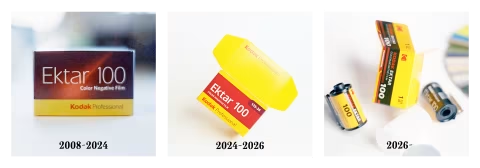
Box redesigns. Though it’s not uncommon to see the same product in a new packaging every year, film manufacturers tend to stick to the same graphic for decades. Kodak is an outlier, with its first update hitting shelves in 2024 and a fresh redesign landing just this year. That last one is especially important as it signals more than a coat of fresh paint — it is a sign of a completely new distribution system.
Kodak was declared bankrupt in 2012, resulting in the split into two companies: Kodak Alaris and Eastman Kodak Company. The latter is the business and the factory in Rochester that makes the film, whereas the former handles other products, but most importantly, the distribution of all Kodak films to still photographers.
Distribution is a big part of all complex products, which involves stocking, shipping, marketing, and more. Kodak Alaris handled this business for over a decade, taking a cut of each film’s sale — they designed the boxes pre-2026. However, last year, Eastman Kodak Company announced that it would handle film distribution again, including box designs.
It’s still not clear whether Eastman’s distribution is more efficient than Alaris’ and whether it would also be cheaper (some assumed so). Film prices are incredibly volatile and complex — I have an entire page and an app dedicated to that. Whatever the case, the film remains the same.
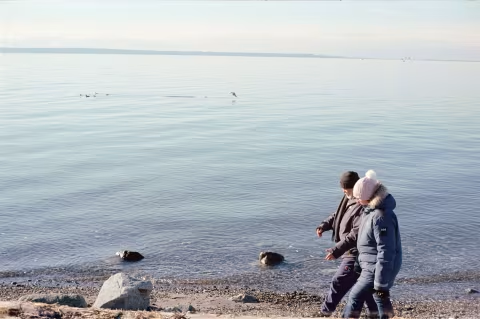
“World’s Finest Grain.”
Judging the size of a film’s grain can be difficult and counterintuitive.
Grain is a complicated, never-repeating pattern of microscopic clumps of chemicals; their size may alter depending on various conditions, and there are no visible edges or actual granules — only texture.
Most film manufacturers typically use the RMS (root-mean-square) granularity index, which measures fluctuations in film density. But as you would imagine, it is not very reliable, since film grain size can vary greatly with exposure. In response to this criticism, Kodak created a new measurement system: the Print Grain Index.
Put simply, PGI is a survey in which observers rate whether they can see grain at various enlargement sizes on sample photos.
The problem with PGI is that it’s only listed in the datasheets of the newest Kodak films and nowhere else, making it hard to gauge how those films compare to others in terms of graininess. Still, it may be a better system as it relies on the ground truth as judged by observers — is it grainy or not?
Below is the PGI table from the Kodak Ektar datasheet (don’t worry, I’ll explain how to read it):
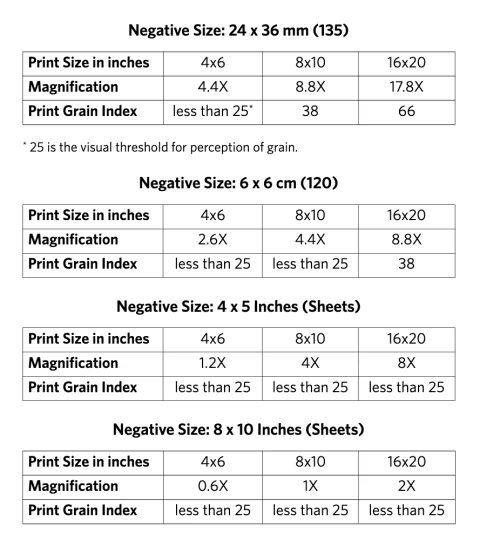
The important thing to know about the Print Grain Index is that if it’s 25 or below, there’s no grain to see — the image would appear perfectly smooth to most observers. Whereas a 90 will look grainy to most people. This is the range in which the PGI measurements are reported.
Whenever those measurements were taken, the observing distance was set to 14” from the print. However, the print enlargements varied, and so did the negatives from which the enlargements were made.
If we are to trust those measurements, there should be no grain visible on 4x6” prints made from 135-size Ektar rolls; 8x10” prints will show no grain when made from medium format Ektar rolls, and there will be no grain on 16x20” prints made from large format sheets.
In other words, Kodak Ektar’s grain is imperceptible at 8x magnification and less.
I found that 35mm Ektar 100 has almost no visible grain when scanned, even at 40MP. In medium and large formats, you’ll need a drum scanner to see any traces of grain.
However, this is not the finest-grained film ever made. For 100MP+ grain-free scans, look no further than Adox CMS 20II black-and-white film.
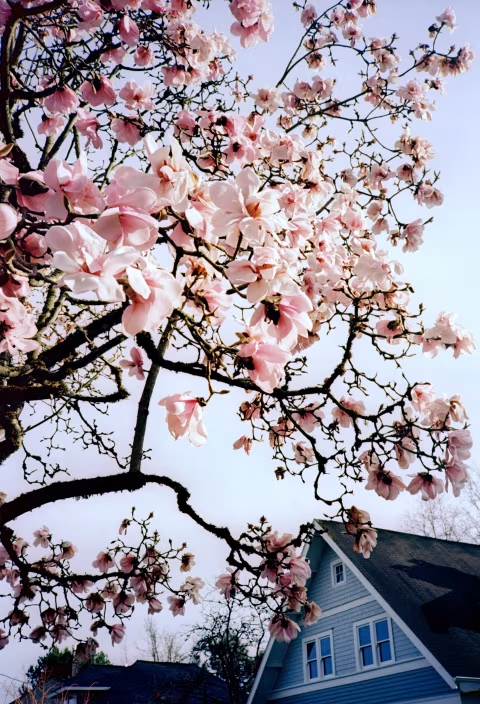
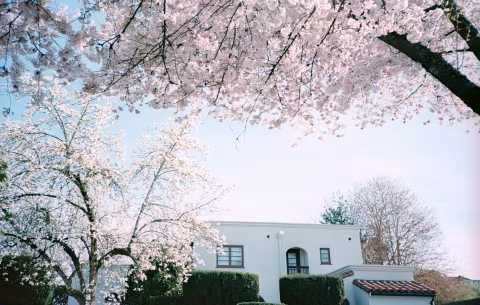
Metering Ektar for the best, easy-to-edit exposures.
How much light can this film handle?
The film characteristic curves table in Kodak’s datasheet for Ektar shows a sharp decline in sensitivity around the shadow areas. However, the highlights seem to keep delivering visual information, with the emulsion’s maximum density being the only limiting factor. This means that this film should handle overexposure really well — a fantastic advantage over slide film, though I do not recommend underexposing it.
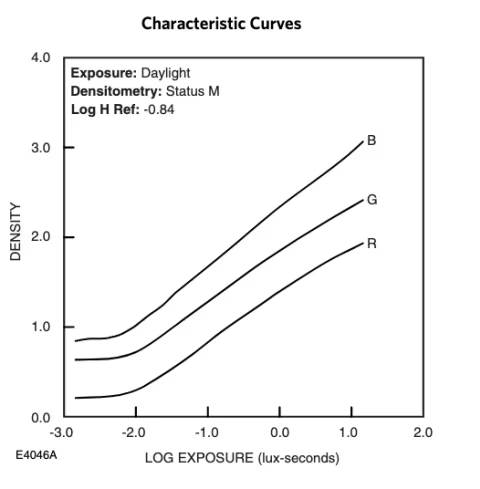
Indeed, Ektar can be wrangled to capture both the clouds and the shadows without a filter. You may need something that can read high-density negatives and pass that data to you at 16-bit per channel — I use PrimeFilm XAs and Nikon SUPER COOLSCANN 5000ED for scans in this review, though I’ve gotten good results with Ektar scanned on pro flatbed scanners as well.
Unlike PGI, the dynamic range of this film can be easily compared against others. From the chart, assuming that the usable film densities range from -1.75 to 1 lux-sec, the dynamic range of Kodak Ektar film is around 9 stops. This is calculated using this guide. In the context of everything else I’ve reviewed thus far, Ektar has a medium dynamic range, making it a relatively easy film to shoot and quite useful for capturing great detail in shadows and highlights simultaneously (just remember not to underexpose it!).


Underexposed shadows are where this film may begin to fall apart. For portraits, this could mean fewer details on darker skin tones, and for general photography, this could mean blue casts. I’ll explain how you can correct some of these issues after scanning your film.

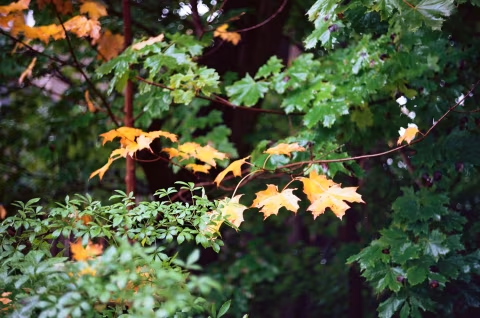
Ektar’s colours.
Though highly saturated, Ektar’s colours are neither overbearing nor unnatural (unless you are very particular about portraits). The film’s palette is nuanced and cannot be replicated by simply cranking up the “saturation” slider on any other film scans or digital photos.
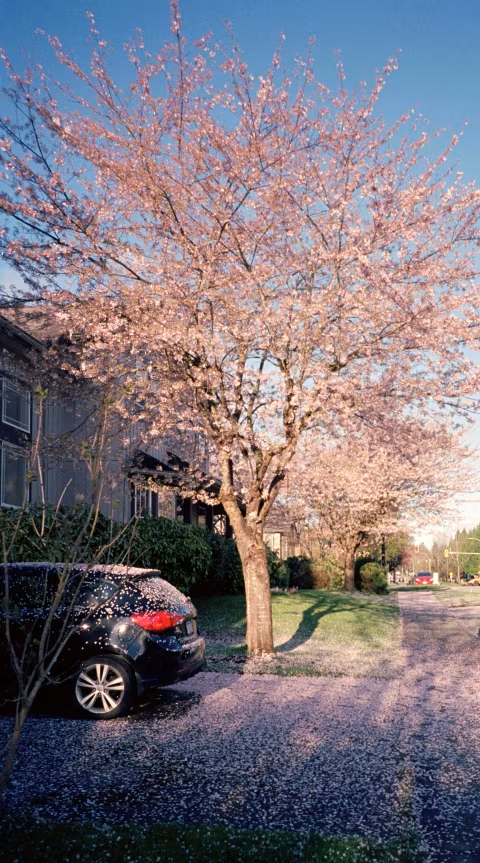
The film shows the most contrast and saturation near the shadows, while slightly decreasing those qualities as more light gets added to the mix.
The skin tones this film renders can be a little difficult to control, depending on how you expose, scan, or print it. I’ve had good luck with overexposing it slightly (+0.5 or +1.0 stop) when metering against the subject’s face, though there’s still risk of overexposure, as the nine stops of DR are great but aren’t nearly as forgiving as Kodak Portra/Ektacolor Pro 800’s 12. Thus, care should be given not just to avoid underexposures, but also overexposures.
This is not an impossible task. A simple double-check of your meter readings and ensuring you’re pointing it at the right spot would do the trick. I metered the portrait below using the Sunny 16 Rule (estimated just by looking).
I’d say this film is perfect for normal and high-key lighting, especially if you’d like to add a bit more life and contrast to your shots.

Scanning Ektar.
When it was introduced, this film was described as an easy-to-scan emulsion. This likely comes from the friendly range of densities, making it slightly more transparent than other options, which can be helpful for scanners with low DMax or for dim backlights in digital camera setups.
However, this does not help with colour correction post-scan.
I invert all my scans using film Q, a web app I built that applies histogram stretching to produce an unedited result, giving full control over the look. For this to work with Ektar, I typically have to bring down the blue in the shadows and cut some of the red in the highlights. I then use greyscale masking to ensure that greys are truly grey, allowing the film render its natural colour palette as encoded by my scanner.
I also had Ektar scanned at a lab and allowed SilverFast to invert it using the default settings. You can observe the differences for yourself in the samples here (I’ve annotated each image with the inversion app or service used). Not the best comparison — perhaps another article can solve this — but from experience, it appears that commercial Ektar scans lean towards warmer tones in the highlights. You can easily control that by cutting or adding blue in the highlights using tools like Color Balance in Photoshop & GIMP, Temperature in Lightroom, White Balance in Affinity, etc.
When to shoot Kodak Ektar.
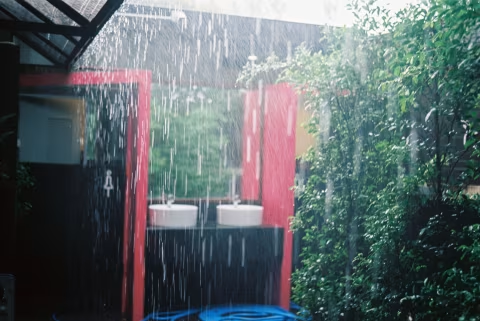
Ektar is fantastic for high-key scenes with lots of light, minimal shadows, and bright colours. It will produce smooth images with minimal or no visible grain, even when cropped or printed large. I’ve had great results taking photos of snow with this film.
Your images will have high levels of colour saturation due to additional colour information — not gain — meaning that colours like bright red will preserve detail where an artificial saturation slider would otherwise destroy fine hues.
If you are confident in your scanner software and your post-production skills, this film should give you no trouble.
An easy way to get excellent results with Ektar is to photograph scenes that aren’t busy, with minimal textures/fine contrast, perhaps overexposed by one stop (but no more than that).
When not to shoot Kodak Ektar.
If you don’t think there’s enough light to fully expose your ISO 100 film, Ektar is better left at home or pushed in development — although you should prepare for comparatively overwhelming contrast and saturation if you do the latter.
Ektar may not be suitable for portraiture if you expect harsh shadows or difficulties controlling light. Based on my experience and what I’ve seen from others, this film can make faces look redder than usual, which won’t be easy to fix as the cast covers a wide range of colours and will remain even if the rest of the scene is corrected. This is not to say you can’t use that to your advantage to create stunning portraits.
How much does Kodak Ektar 100 cost, and where to find it.
Ektar has been consistently going up in price since I began tracking it in 2018. So if you get a bunch of it today, you are almost certainly going to pay less for it than a year later.
Still, it’s around five bucks (or more) cheaper per roll than slide film like Ektachrome, and the results you’ll get with Ektar can be similar or even better, in terms of resolution and contrast.
❤ By the way: Please consider making your Kodak Ektar 100 film purchase using this link so that this website may get a small percentage of that sale — at no extra charge for you — thanks!
